Complete Minesweeper guide
Play Minesweeper Online Free
Play Minesweeper online on a clean, fast page made for quick puzzle sessions. The game above keeps the classic feel of the original mine sweeper experience: a grid of hidden squares, numbered clues, flags, a mine counter, a timer, and three familiar difficulty levels. The goal is simple, but the thinking can become surprisingly deep.
This homepage is built for players first. You do not need to install an app, wait through a heavy intro, or open a new tab. Start with Beginner if you are learning the rules, move to Intermediate when you want more space, and try Expert when you are ready for the classic 99-mine challenge.
Watch Gameplay Video
New players often understand Minesweeper faster after watching one short board in action. The video below shows the basic idea: open safe squares, read the numbers, place flags where mines must be, and keep expanding the solved area.
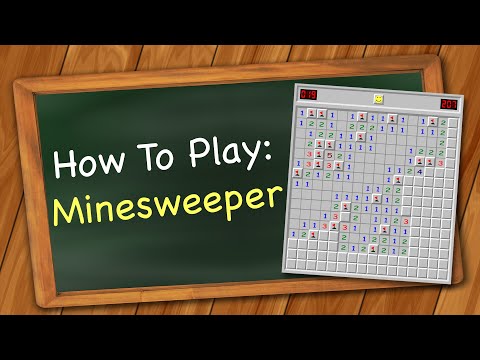
The video loads only after you click, which helps the page stay fast on mobile and desktop.
What is Minesweeper?
Minesweeper is a logic puzzle game played on a grid. Some squares hide mines, while safe squares may show a number. That number tells you how many mines touch the square around its eight neighboring positions: left, right, up, down, and the four diagonals. You win by revealing all safe squares without opening a mine.
The game became famous on personal computers because it is easy to start and hard to master. A beginner can learn the first rule in seconds, but better players use patterns, probability, and careful board reading to reduce mistakes. That is why searches such as minesweeper online, minesweeper game, minesweeper free, and how to play minesweeper all lead to the same need: a fast place to play with a clear explanation.
Gameplay
The gameplay loop is built around clues. When you reveal a square and see a number, that number is not a score. It is information. A 1 means one mine touches that square. A 2 means two mines touch it. The highest possible number is 8, because each square can touch only eight neighbors.
Empty areas open automatically, giving you more numbers to study. Flags are optional, but they are extremely useful because they mark squares you believe contain mines. Once a number has the correct number of flags touching it, the remaining hidden squares around that number are often safe to open. This is the core logic that makes Minesweeper more than a guessing game.
Platforms
This version works directly in a modern web browser. It is designed for desktop, laptop, tablet, Chromebook, and mobile screens. On a wide computer monitor, the board has enough room to feel close to the classic Windows-style experience. On mobile, the board area can scroll when needed, especially on the Expert level because the classic Expert board is wider than a phone screen.
Controls
Minesweeper controls should be simple. The page uses classic desktop behavior and mobile-friendly touch behavior so the game remains playable on all devices.
| Action | Desktop | Mobile / Tablet |
|---|---|---|
| Reveal a square | Left-click | Tap |
| Flag a possible mine | Right-click | Long-press |
| Remove a flag | Right-click the flagged square again | Long-press the flagged square again |
| Restart | Click the smile face or New Game | Tap the smile face or New Game |
How to Play Minesweeper
- Choose a difficulty level. Beginner is the safest way to learn. Intermediate adds a larger board. Expert is the full classic challenge.
- Open your first square. This version uses a safe first click, so the first move will not hit a mine.
- Read the numbers. Every number tells you how many mines touch that square. Diagonal squares count too.
- Place flags carefully. Flag squares only when the surrounding numbers prove they are mines or when you are keeping track of a strong possibility.
- Open proven safe squares. If a number already touches the correct number of flags, the other hidden squares around it are safe.
- Clear every safe square. You win when all non-mine squares are revealed.
| Level | Classic board | Mines | Best for |
|---|---|---|---|
| Beginner | 9 × 9 | 10 | Learning the rules, numbers, flags, and safe moves. |
| Intermediate | 16 × 16 | 40 | Practicing patterns with more open space and more clues. |
| Expert | 30 × 16 | 99 | Players who want speed, pressure, and advanced logic. |
Minesweeper Tips and Strategy
Start with the obvious numbers
A number touching only one hidden square makes the decision easy. If that number is 1, the hidden square is a mine. Flag it, then use that flag to unlock safe moves around nearby numbers.
Use the “all mines found” rule
If a 2 already touches two flagged squares, every other hidden square around that 2 is safe. This one idea is one of the fastest ways to move from random clicking to real Minesweeper strategy.
Learn common patterns
Patterns such as 1-1, 1-2-1, and 1-2-2-1 appear often along the edge of an opened area. You do not need to memorize every pattern on day one, but recognizing these shapes will help you solve more boards without guessing.
Do not over-flag
Flags help, but too many uncertain flags can create confusion. If you are not sure, leave the square closed until more information appears. Strong players use flags as notes, not as guesses.
Accept that some boards can require a guess
Minesweeper is mostly a logic game, but some layouts can leave a true 50/50 choice. When that happens, pick the square that gives the best chance to continue or opens the most useful information if it is safe.
Features
This updated version adds replay features that help the page compete with stronger puzzle sites: saved best time, Daily Challenge, Win Streak, Dark Mode, Share Result, and Custom Board options.
- Play Minesweeper online directly in your browser.
- Enjoy a minesweeper free experience with no account required.
- Beginner, Intermediate, and Expert difficulty buttons.
- Safe first click to avoid instant losses.
- Classic number clues and flagging behavior.
- Mine counter and timer for a familiar puzzle feel.
- Desktop right-click controls and mobile long-press controls.
- Responsive board area for phones, tablets, laptops, and desktop screens.
- Fast static page structure with no heavy game iframe.
Download on iOS, Android, and PC
You can play here without downloading anything. If you also want an app version for offline or store-based play, these are useful store links to compare. The web version remains the fastest option when you simply want to open a browser and start a free Minesweeper game.
Minesweeper Unblocked
Minesweeper unblocked usually means a version that opens in a normal browser without needing a gaming portal. This site is built as a lightweight web page, so it is easy to load on many devices. Still, access depends on the network you use. A school, office, or public Wi-Fi network may block game websites even when the game itself is simple and educational.
If your goal is a quiet logic puzzle, Minesweeper is a good choice because it does not need sound, fast reflexes, or long sessions. You can play one quick board, practice a pattern, and stop whenever you want.
Google Minesweeper, Minesweeper Plus, and Other Versions
Some people search for Google Minesweeper, minesweeper google, or minesweeper plus because they want a quick version with familiar rules. Others look for infinite boards, no-guess modes, or modern mobile apps. Those versions can be fun, but the purpose of this page is different: it gives you a clean classic board on a dedicated website with a full guide underneath.
If you typed mine sweeper as two words, you are in the right place too. Many players use both spellings when searching for the same classic puzzle.
Similar Games
The best similar games are logic puzzles that reward calm thinking, pattern recognition, and careful decisions. As the site grows, these would be strong related pages because they match the same audience without moving away from the puzzle niche.
Conclusion
Play Minesweeper online whenever you want a fast puzzle that rewards logic instead of noise. Start with Beginner, learn how the numbers work, practice flagging, then move to harder boards as your pattern recognition improves. The more carefully you read the clues, the less the game feels like luck.
Minesweeper FAQ
Can I play Minesweeper online for free?
Yes. You can play Minesweeper online for free on this page without an account, download, or app store.
How do you play Minesweeper?
Reveal safe squares, use numbered clues to find mines, place flags on dangerous squares, and clear every non-mine square to win.
What do the numbers mean in Minesweeper?
The number shows how many mines touch that square. The count includes horizontal, vertical, and diagonal neighbors.
How do I flag a mine?
Right-click on desktop or long-press on mobile. Repeat the same action to remove the flag.
Do diagonals count in Minesweeper?
Yes. Diagonal squares count as adjacent squares, so every number can refer to up to eight surrounding positions.
How do you win Minesweeper?
You win by revealing all safe squares. You do not have to click the mines; flags simply help you track them.
Can you lose on the first click?
In many classic versions, rules can vary. On this website, the first click is safe to make the game fair for beginners.
Is Minesweeper luck or skill?
Most of the game is skill, logic, and pattern recognition. Some board positions can still require a guess if there is not enough information.
What is the best level for beginners?
Beginner is the best starting level because the board is smaller and there are fewer mines to track.
Can I play Minesweeper on mobile?
Yes. Tap to reveal and long-press to flag. The Expert board may scroll because it is wide.
Does this Minesweeper game save my best time?
Yes. Your best time and win streak are saved in your browser using local storage, so they stay on the same device unless you clear browser data.
What is the Daily Challenge?
The Daily Challenge gives you a fresh Minesweeper board for the day, so returning players have a quick reason to come back and improve their time.
Can I make a custom Minesweeper board?
Yes. Open Custom Board, choose rows, columns, and mines, then start a board that matches the difficulty you want.
What is Minesweeper unblocked?
It usually means a browser version that opens without a game portal. Whether it works depends on the network rules where you are playing.
Do I need to download Minesweeper?
No. You can play instantly on this site. App store download links are included only for players who prefer installed versions.